The pack

One connected
insurance operation.

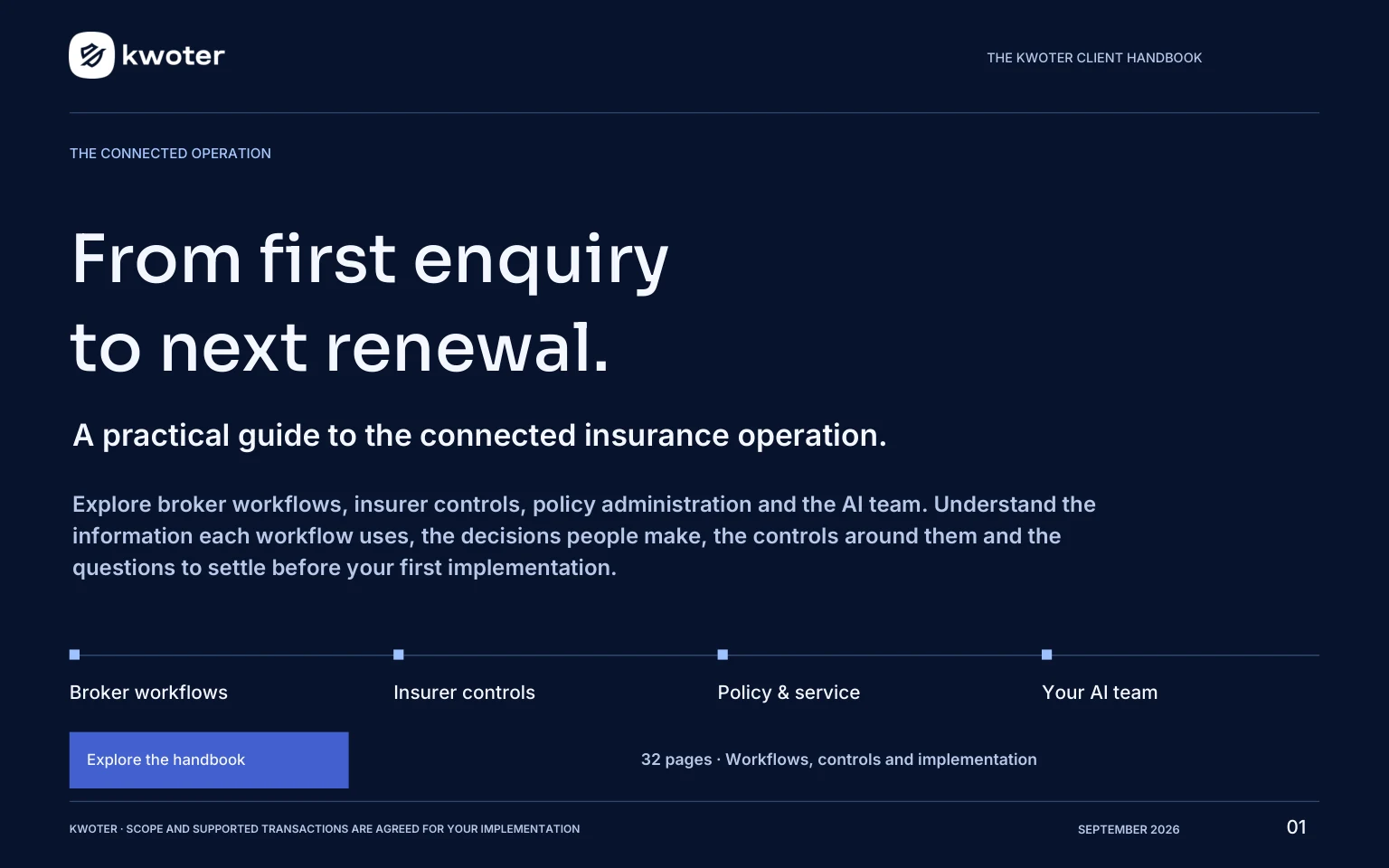
From the first enquiry to the next renewal. Bring broker workflows, insurer controls and policy administration together, with an AI team built around the work. Explore your side of Kwoter, then walk it through with Roxanne.

Roxanne’s full walkthrough, the AI team and the operations guide. All in one place.

4 films
Under seven minutes in total
32 pages
The operation in writing
1 platform
Quote, sell, administer, staff
FRN 1039951
FCA authorised and regulated

Explore Kwoter.

Full handbook

What does Kwoter do?

Kwoter connects the work of brokers, insurers and service teams in one insurance platform.

Brokers

Capture enquiries, obtain quotes from your enabled panel and manage the next action.

Insurers

Manage your schemes, broker distribution and a view of your book.

Policy & service

Continue with the client file, policy documents, tasks, claims and renewal work. Each team has the access its role requires.


Read the full handbook on this page 8 chapters · all the detail

One client journey.
Both sides connected.

Kwoter brings the broker workspace, insurer controls and policy administration into one connected platform. Each team has its own workspace, with the products and permissions it needs.

For the broker

Capture the risk, compare your enabled panel and keep the client relationship moving, with quotes, conversations and policy information close at hand.

Explore the broker workflow

For the insurer

Manage your schemes, shape broker distribution and review your book through an insurer console built around your own business.

Explore insurer control

Follow the work.

A clear starting point for the team.

Capture an incoming lead, keep its source and contact history, and organise callbacks and diary activity around the next action.

The right questions for the product.

Product-specific forms collect risk information. Address lookup, autosave, duplicate screening and field history support the work.

One run across your enabled panel.

Compare available scheme quotes, premiums and tax breakdowns. Where a scheme does not quote, the returned reason helps the team understand what happened.

Keep placement connected to the record.

On supported integrations, accepting the quote returns policy details and documents into the client record. The supported transactions are agreed for your implementation.

Carry the relationship forward.

Bring policy service, documents, diary tasks and renewal activity into the same operation, with changes and cancellations connected to insurers where supported.

Your products, panel access, permissions and supported transactions are agreed during implementation.

In this chapter

How the operation connects

Kwoter connects the work around an insurance relationship while giving each team a workspace suited to its responsibility.

Start with the record

An enquiry brings together contact information, its source, the product being considered and the next action. Risk questions prepare it for quoting. Quote outcomes and subsequent policy information carry the relationship forward, while communications and service activity provide the context for the next person who handles it.

Different workspaces, connected responsibilities

The broker works the enquiry and client relationship. The insurer manages the schemes and distribution it is authorised to control. Policy administration brings together the client, policy and ongoing service work. These are distinct responsibilities: access to one workspace should not be treated as permission to view or change another organisation’s information.

Define the joins

The available panel, rating route, policy transactions and documents depend on the product and connection. In a demonstration, follow a successful quote and a case that needs attention. Agree what returns automatically, what a person checks and how an unresolved item remains visible. This makes the first phase concrete and exposes any handoff that still needs a separate process.

See the workspaces and the people behind the workflow.

Watch the platform tour

From the first enquiry
to the next action.

Give the team a connected client record and a clear route through the sale. The quote, the conversation and the next task stay part of the same workflow.

In this chapter

Capture and organise an enquiry

A useful lead is more than a name and number. It gives the team enough context to decide what happens next.

Keep the origin with the work

Kwoter provides lead sources, partner configuration and product-specific capture. Source attribution lets the team distinguish where enquiries came from when reviewing activity. During setup, agree how sources are named and mapped, so different feeds do not describe the same source in inconsistent ways.

Make ownership explicit

The broker workspace brings together leads, quotes, reminders, tasks and follow-up queues. Agree which person or team receives new enquiries, what counts as first contact and when ownership changes. A lead that has arrived is not the same as a lead that has been worked; the first-contact queue helps make that distinction visible.

Handle existing relationships carefully

Duplicate screening and linked-lead configuration support the capture process. Define how the team should handle a returning prospect, an existing client or a second enquiry for another product. Matching information is a prompt to review the relationship, not a reason to discard a potentially valid request.

Example to demonstrate

Use a fictional enquiry from one of your real source types. Check its product, ownership, source and follow-up task. Then introduce a repeat enquiry and agree the expected response before relying on the process at volume.

Ask the right risk questions

The question set should collect the information the selected product and rating route actually require.

Product-specific capture

Forms can be configured around the product rather than forcing every risk through the same generic questionnaire. The workspace includes product and field configuration, while policy setup provides shared lookup values. The presence of a product name or lookup is not confirmation that a live insurer connection is available for it.

Support the person entering the risk

Address lookup, autosave, duplicate screening and field history support accurate capture and follow-up. In implementation, identify required answers, conditional questions, allowed values and the information a team member must confirm with the customer. Good form design makes an incomplete risk visible before it becomes a confusing quote result.

Map answers to the destination

A question label in the workspace and a field expected by an insurer may use different terminology or codes. The implementation needs agreed mappings, including how missing, unknown and not-applicable answers are represented. Reusing a field name does not prove that the destination interprets its value in the same way.

Example to demonstrate

Complete a typical risk, leave a required answer blank, then change an answer that affects rating. Check validation, saved information and the quote response. Repeat for the exceptional cases your staff encounter frequently.

Understand the panel result

One quote run reaches the schemes enabled for the brokerage and product. The result needs to explain both the prices and the exceptions.

Read the whole result

Available results include premiums, tax breakdowns and returned reasons when a scheme does not quote. Keep the quote history with the enquiry so the team can distinguish an earlier result from a new run after the risk or scheme conditions changed. An enabled panel is specific to the brokerage and product, not a promise that every insurer will return a price.

A decline and a referral mean different things

A decline means the scheme has not offered terms for that run. A referral means a person must review the risk or terms. The insurer console groups non-pricing reasons such as appetite, broker status, terms not yet live and daily limits. Your follow-up process should respond to the returned reason rather than treating every missing price as a technical failure.

Keep acceptance tied to the supported route

On supported integrations, accepting a quote can return policy details and documents to the client record. Confirm the exact acceptance process, the returned reference, document availability and what happens if a response is delayed or incomplete. The supported transaction set is agreed per connection.

Example to demonstrate

Run a risk that prices, one that falls outside appetite and one that refers. Check what the broker sees, who takes the next action and how the final decision or policy information returns to the record.

Calls, messages and callback promises

Communication is most useful when the next person can see what was promised and who is responsible for following it through.

Keep communication close to the relationship

The platform includes call history, click-to-dial, email and SMS configuration, templates and callback reasons. Agree the sending identity, approved templates, calling arrangements and the points at which your staff record an outcome or schedule another action. A connected channel still needs an agreed operating process.

A callback queue with ownership

The callback screen brings together requests created through the AI calling workflow. It shows the requested time and whether the next call belongs to Otto or your team. Overdue callbacks and requests without an agreed time remain visible. Where no time is agreed, the team needs to resolve the promise before expecting an automatic call.

Make the human handoff usable

For a person taking over, the useful information is the reason for contact, what has already been discussed, the promised action and any timing constraint. Agree how your team receives and reviews that information. A handoff should lead to a named responsibility, rather than leaving the customer to repeat the same request.

Example to demonstrate

Ask for a callback at a particular time, then test a request with no time given. Compare the queue entries and confirm how the team recognises overdue work and completes the follow-up.

Manage the day and review performance

The dashboard combines management measures with the queues that tell a team where attention is needed now.

Choose a meaningful period

Date filters support views such as today, recent days, the current month and a custom range. Lead, quote, sale, conversion, average-premium and gross-written-premium measures should be read against the selected period. When discussing a result, state the period and the population being compared so the team is working from the same numbers.

Move from a number to a task

First-contact and follow-up queues distinguish new enquiries, quoted prospects awaiting a decision and work that may be going cold. The dashboard also brings together reminders, tasks and setup activity. Establish who reviews each queue, how often and what action clears or progresses an item.

Understand sources, products and people

Product and source reporting, team views, targets and wallboards help show where work is coming from and how it progresses. Compare like with like: a new product with little history, a source with different risk characteristics and an established panel may need different explanations. A high-level conversion figure is the start of a review, not the whole diagnosis.

What to agree in the first phase

Choose a small set of measures: first-contact timeliness, unresolved callbacks, quote outcomes and a relevant business result. Establish a baseline before rollout, then review the first phase against the same definitions.

Campaigns and repeatable work

Campaign controls and automation support repeatable follow-up, with the rules and communication scope agreed before activation.

Campaign distribution

The campaign screen exposes the mix of live and historic leads and allows a campaign to be paused or resumed. A first implementation should explain which enquiries enter the campaign, how existing work is treated and who can stop activity. The screen reviewed explicitly says spend tracking is not live, so this guide does not present campaign spend as a completed reporting feature.

Automation starts with a trigger

Quick-start templates include timed follow-up for dead leads, logging a new lead, notifying the team when a lead transfers and a scheduled sold-lead sweep. A template is a starting point for configuration. It is not evidence that the workflow is active, suitable for every product or enabled in your business.

Define the rule and the exception

For each automation, agree the triggering event, the records it can act on, timing, channel and outcome. Define what should stop the workflow: a completed sale, a customer response, a changed owner or another relevant condition. Confirm how your team identifies an unsuccessful action and resumes normal handling.

Example to demonstrate

Use a small test set with a qualifying record and one that should be excluded. Review the action, the record of what happened and the stop behavior before widening the population.

Bring your first product and the panel you want to quote.

Shape a broker demonstration

Watch the broker film

Your schemes.
Your distribution.

An insurer console gives your team a focused view of its own schemes and the brokers using them. Bring distribution, underwriting and financial review around the same information.

In this chapter

The insurer workspace and its roles

The insurer console is organised around the jobs performed by the scheme owner, underwriter, accounts team and compliance reviewer.

Administrator

The administrator starts with the overview and can manage scheme and panel settings, commission overrides, broker suspension and the insurer’s own team logins. Exceptions such as waiting referrals, suspended brokers or unusual changes bring attention to the relevant part of the console.

Underwriter

The underwriter starts with the underwriting worklist and can work referrals, save supported rate changes, run test quotes and set appetite restrictions. Commission changes, broker suspension and team administration are reserved for the administrator. The role separates risk decisions from the financial statement of broker earnings.

Accounts and compliance

Accounts starts with the money view and can work with financial and quote-activity exports without changing the scheme. Compliance starts with oversight, can review the evidence available to the role and export an evidence pack, but does not make pricing or underwriting decisions. The visible tabs and controls depend on the assigned level.

What to agree

Identify the people who need each role and demonstrate the actual access boundaries. Missing controls may reflect the user’s level, rather than a fault. Team changes and scheme activity have their own audit views.

Change pricing with a clear scope

The console separates the pricing levers the insurer can operate from the scheme definition maintained with Kwoter.

The scheme definition

The question set, documents and underlying rating rules are configured with the Kwoter team. Changes to a question, document or rating factor need an agreed specification and validation. A scheme’s visible status and rating-rule count help explain what is configured; the presence of the scheme is not the same as permission to change every part of it.

The insurer’s pricing levers

Administrators and underwriters can change the base premium and supported scheme adjustment. These are scheme-wide changes. Broker-specific commission and appetite controls belong to the panel workflow. In the documented internal rating route, a saved change affects subsequent quotes, making sign-off and testing part of the operating process.

Use a test quote to understand the result

The console’s test quote runs through the rating engine in a sandbox and returns a price breakdown or a decline reason. It does not add business to the book or consume the broker’s daily quote allowance. Compare a known risk before and after the change and include risks close to important boundaries.

Keep the distinction clear

Base rates, underlying rating factors, a scheme adjustment and broker commission can all affect the result. Confirm the calculation route for your scheme rather than assuming that every external insurer connection uses the same model.

Broker terms, status and appetite

The panel connects distribution permission to the terms and restrictions that apply when a broker requests a quote.

Active, invited and suspended

An active broker can quote within the configured terms. An invited broker is on the panel but has not yet begun trading; terms may not yet be live. A suspended broker’s subsequent quotes are declined through the normal result rather than appearing as a system fault. Suspending access retains the broker’s existing history.

Individual terms

An administrator can set or clear a commission override for a broker. Supported start dates and daily quote limits are enforced at quote time, but the documented console does not make every term editable on screen. Confirm with Kwoter which settings your team can operate and which need configuration support.

Appetite with an explained outcome

Administrators and underwriters can define supported rules using postcode areas, numeric ranges or a specific answer. The action is decline or refer, with a reason shown to the broker. A referral sends the risk to the underwriting worklist; a decline explains why the scheme has not offered terms.

Example to demonstrate

Use a boundary risk against a broker-specific rule, then compare a broker using scheme defaults. Check the outcome, the reason, the referral queue where relevant and the audit record of the rule change.

Work the underwriting referral

A referral is an explicit request for human judgment. The worklist makes the waiting risk and its age visible.

See the work that needs a decision

The waiting view is organised around unresolved referrals, with the oldest waiting items first. Entries include the broker, status, referral reason and a summary of the risk. The all-items view provides recent decision history. Age indicators help people see delay; they do not establish a contractual service commitment.

Record the decision

Authorised administrators and underwriters can approve with an authorised premium and an optional note, or decline with a reason. The decision is recorded with the person and time. A compliance user can review the queue and history without receiving the decision control.

Close the loop with the broker

Recording an underwriting decision and returning a bindable quote are separate steps. The documented workflow completes the return to the broker with the Kwoter team; fully automatic push-back should not be assumed. Confirm the current handoff for the connection, who contacts the broker and how they distinguish the final terms from an earlier quote.

Learn from the pattern

The risk view groups referral reasons and shows which rating rules are firing. Review repeated reasons with the scheme owner: the aim is to understand the work being generated, while leaving underwriting judgment and any appetite change with the authorised team.

Understand quoting and distribution

The book explains how brokers are using the scheme and what happens when they request terms.

Read outcomes alongside volume

The console shows quote activity, priced results, declines, referrals and bound business. A recent daily view helps separate a change in volume from a change in outcomes. Broker-level reporting includes activity, conversion, average premium and recent use so the team can investigate a specific relationship.

Understand why a scheme did not price

Non-pricing reasons include suspended brokers, appetite restrictions, referrals, daily limits and terms not yet live. This makes a distribution decision visible in the result. If a broker cannot quote, check their panel status and restrictions alongside the scheme status before assuming an integration fault.

Use the right export

The quote-activity extract includes outcomes such as declines and referrals. It answers a different question from the premium bordereau, which concerns written business. Confirm the time window and the included fields before joining either file to another report. An empty period can be a valid result, rather than evidence that an export has failed.

Keep oversight proportionate

The oversight view brings together distribution terms, remuneration information, referral decisions and change history. It supports a review of the information held in the platform; it does not automatically include charges or activity that sit outside Kwoter.

Money, bordereaux and reconciliation

The insurer money view is about written business: premium, commission, tax, fees and the amount due to the insurer.

Choose and retain the reporting period

The period selector supports current and previous periods and a custom range. Resolved dates appear with the report and export. Before reconciling, check the scheme, organisation, period and transaction coverage. Two files with similar names may answer different questions if one includes quote activity and the other only written business.

Review the settlement position

The statement separates gross written premium, broker commission, net premium and collected tax. Broker fees retained by the broker are shown separately. A rate change during the selected period can explain why a single commission percentage does not reconcile to the total; inspect the rates actually applying to the included business.

Use control totals

The premium bordereau carries policy-level information and money fields, with row count and financial control totals. Compare these with the on-screen totals before importing the file elsewhere. Retain the period and quote references so a later query can be traced back to the underlying activity.

Confirm export coverage

The documented insurer export has specific transaction and policy-term assumptions, and a separate claims bordereau is not established by the presence of claims in policy administration. Request a sample export for your scheme and agree the exact fields, transaction types and reconciliation rules.

Start with one scheme and the broker panel you want to reach.

Shape an insurer demonstration

Watch the insurer film

The sale is
only the start.

Policy administration connects ongoing service to the original client relationship. Keep the policy, the people and the work around it together.

In this chapter

A client file that supports service

Policy administration keeps the client and the work around their policies in Kwoter’s own workspace.

Find the relationship

Client lookup supports client code, name and postcode. The client view brings together contact and address information, policies, tasks and claims. Associated parties and communication records help explain who is involved and what has happened, so the next handler can continue the relationship with context.

Make the data structure useful

People and companies may need different contact arrangements, correspondence addresses and associated parties. Shared lookup values support consistent categories. Agree which fields are required, who maintains them and how the team corrects inaccurate or duplicated information without losing the history needed for service.

Connect documents and ongoing work

Policies, notes, documents and diary activity belong with the relationship. Demonstrate how the handler finds the current policy and supporting documents, then records the next task. Define what must be logged when communication takes place outside an integrated channel.

Example to demonstrate

Use a fictional client with two policies and more than one contact. Ask a second handler to identify the correct policy, understand the last contact and continue the next action. This tests whether the record is usable by someone who did not create it.

Policy versions and mid-term service

Changes need a clear effective date, an accurate record of the policy position and an agreed route to the insurer.

Keep the policy history

Policy administration supports versions and service activity around the policy. Treat the current version and earlier records as different views of the relationship. A change of vehicle, address, cover or other risk information may need a new insurer response; a local record update is not always the same as confirmed insurance terms.

Use supported transaction workflows

Where the connection supports them, adjustments and cancellations follow their own quote and acceptance steps. Returned premiums, authorised adjustments or referrals must be interpreted in the context of the transaction. Confirm what the integration returns and what the team must verify before telling the customer the change is complete.

Handle referrals and incomplete responses

A referred service transaction may require an authorised amount and supporting reference. Establish the person responsible for obtaining the decision, recording the authority and completing the acceptance. If a connection does not support the required change, agree a manual insurer process and how its outcome is recorded in Kwoter.

Example to demonstrate

Take a supported policy through one straightforward adjustment and one case requiring referral. Compare the before-and-after record, effective date, premium treatment, documents and the task that remains if the insurer has not yet confirmed the change.

Claims handling and payment authority

A claim connects the incident, the relevant policy, the service activity and any financial decisions around it.

Start with the right policy

The claims flow locates the client and identifies the policy before creating the claim. Claim information includes the loss and reported dates, peril, status and relevant incident detail. Check that the policy and risk being referenced are the correct ones before beginning the handling process.

Keep progress and money visible

The claim view brings together status, diary activity, reserves and payments. The claims list provides a view of the work, while archived records can be included when needed. A claim summary by status supports operational review; it is not the same output as an insurer claims bordereau.

Separate raising and releasing a payment

A raised claim payment enters an authorisation queue. Release requires an authorised manager other than the handler who raised it. Agree who reviews the payee, amount, reason and supporting information, and how your team resolves a payment that cannot yet be authorised. This describes workflow approval, not a guarantee that funds have moved through a bank.

Example to demonstrate

Create a fictional claim against a test policy, add a diary task and review a pending payment with the second authorised person. Check the status and history from both roles, including the user who should not be able to release it.

Renewals, rebroking and retention

The renewal workbench turns upcoming dates into a visible set of decisions and actions.

Choose the work window

The workbench provides windows such as 30, 45, 60 and 90 days, with policy, client, product, date, insurer and premium information. Decide who owns the review of upcoming business and how records with missing or unresolved information are separated from those ready to progress.

Different actions mean different outcomes

The screen separates renew, rebroke, renewal pack, lapse and stop. The reviewed renew action carries cover forward as a new live version at the current premium; rebroking raises a fresh quote. This should not be described as automatically obtaining new insurer terms for every product. Confirm the rating and acceptance route your renewal process requires.

Keep communication connected

Renewal packs and communications records support the invitation process. Agree the templates, content, timing and checks for your business. A stopped renewal needs a reason and a clear next action; a lapsed policy should remain distinguishable from a policy awaiting a decision.

AI assistance has a defined place

Rene organises the renewals desk with calling through Otto. Human review is still needed for the renewal decision and any required verification. Demonstrate how the workbench, callback ownership and customer response fit together rather than assuming they form a fully automatic renewal service.

Accounts, allocations and service reports

The accounts workspace helps the team understand recorded money, outstanding items and the approvals still required.

Read the ledger position

The chart of accounts and trial balance sit alongside receipt, payment and journal entry. Ledger enquiry explains individual postings. The documented model uses double-entry recording; journals must balance. Agree account codes, opening balances and the financial responsibilities of the people using the workspace.

Allocate what has been received

The allocation workbench matches an open client debit with an unallocated receipt, including partial amounts. Allocations explain how recorded money settles an outstanding item. They should not be confused with a new receipt or payment. Credit-control reporting ages unsettled amounts so the team can prioritise follow-up.

Keep approval separate

Payments are raised pending and released by a different authorised manager. The control applies to the workflow in Kwoter; agree separately how approved entries connect to banking, external accounts and settlement. Confirm what constitutes a posted, approved, allocated and reconciled item for your operation.

Reports for the service team

The current policy reports include aged debt, policy register, renewals due, cancellations and lapses with reasons, claims by status and open complaints. Use the report that answers the service question, then confirm the period and filters before drawing conclusions.

Already have a book of business? Include your records, documents and migration requirements in the first conversation.

Explore implementation

Give each agent
a clear job.

Choose assistance around the work your team actually does. The directory includes live agents, preview workflows and capabilities in development. Agree scope, connections, human review and escalation before enablement.

RoxanneReception & messages
OttoOutbound calls & handoffs
EmileEmail follow-up
ChristopherCross-sell & second policies
MaxCampaign performance
SageCall review & coaching
HenryIn-app guidance & navigation

In this chapter

AI for reception, follow-up and growth

Choose an agent for a defined piece of work, then agree the connected services and the point at which a person takes over.

Roxanne and Otto

Roxanne handles reception conversations and messages, including outside office hours, with escalation to a person. Otto works outbound calls within configured calling hours and hands interested customers to the team. Both are labelled live in the reviewed workspace. Define the purpose of the call, the information available to the agent and the callbacks your team must pick up.

Emile and Max

Emile’s email workflow is in preview, with setup for sender identity, connection, email preparation and going live. Agree sending controls and reply ownership. Max analyses performance from the advertising accounts connected for the business; interpretation depends on those connections and the available information. Do not confuse a connected reporting role with a promise that every campaign’s spend is tracked in Kwoter.

Sage and Rene

Sage’s call review and coaching workflow is in preview. Agree which calls are reviewed, what scoring means and who checks a finding before acting on it. Rene organises renewal work, with calls made through Otto and results reviewed by the team. The agent’s activity supports the workflow; it does not replace the decision about renewal terms or suitability.

Christopher

Christopher’s cross-sell workflow is in preview. He reads the customer book, shows where the second policies are and drafts a year of customer messages, from a welcome note to a dated offer for each product. Every message needs approval before it can be sent. Agree the products on offer, the channels used and who owns the leads he passes to the team.

AI for service and the wider team

The wider directory brings together assistance for claims, people, research, finance, compliance and help in the application.

Service, people and research

Cleo supports the claims conversation and the next step for the customer; Hollie receives HR requests and passes them through the relevant management process. Both are in preview. Intel researches named competitors and questions. Define the question and have a person assess the sources and relevance before using the result in a business decision.

Finance, compliance and domain checks

FD prepares finance and billing reporting from the connected operational data. Cora brings compliance controls and evidence together for review. Steve reports external domain exposure, including email-spoofing protection, lookalike domains and certificate health. These are preview roles in the reviewed workspace. Steve’s scope is outside-in checks; it is not a claim of a complete internal security audit.

Help and communications

Henry explains the application, helps with navigation and supports setup questions. Ada’s communications desk is still being designed. The directory distinguishes these roles so a buyer can discuss what is available, what needs a connection and what is still developing, rather than treating every portrait as an enabled production service.

What to demonstrate

Choose one real task for the first agent, a successful outcome and an exception that requires escalation. Review the information returned to the person who owns that next action.

Define an agent’s job before enabling it

A useful AI implementation has a bounded task, an accountable owner and a review process that fits the consequence of the work.

Inputs and permitted activity

Specify which information and connected services the agent needs. Define the products, channels, customer groups and times within scope. State whether its role is to explain, draft, analyse, contact someone or prepare a next action. These are implementation decisions to agree; the same permissions should not be assumed for every agent.

Human review and escalation

Identify the situations that must move to a person: an unclear request, a complaint, a question outside the agreed scope or an action requiring authority. Name the team responsible and the information they need when taking over. An escalation that nobody owns does not complete the customer’s request.

Validate a small first use case

Use representative test conversations or records, including incomplete information, corrections, stop requests and handoffs. Evaluate whether the result is accurate and useful to the receiving team. Agree how the workflow can be paused and who reviews an unexpected result before extending it.

Review performance in context

For a first phase, consider response handling, completed handoffs, unresolved callbacks and the quality of information passed to people. Discuss availability, usage charges and connected dependencies in the proposal. A preview should be evaluated as a preview, with its current scope made explicit.

Choose the task, the controls and where a person takes over.

Meet the full AI team

Watch the AI-team film · Availability and enabled scope are agreed for your business.

Connect your panel.
Keep control of the work.

The connection follows the insurer and product. Products, permissions and technical validation determine what your team can use.

In this chapter

Connections and transaction coverage

A connection is useful when the business knows what it sends, what it returns and which transactions it can complete.

Three routes to discuss

Kwoter supports internally configured schemes, direct insurer web-service integrations and supported Applied Rating Hub connections. The route follows the product, scheme and insurer. For each route, identify the credentials, question mapping, product codes and validation work needed for the first implementation.

Build a transaction matrix

List new-business quote, acceptance, document return, adjustment, cancellation and renewal separately. For each, record whether it is supported, the returned reference and documents, who reviews it and what happens on referral or failure. This is a scoping exercise, not a statement that every connection supports every transaction.

Map data deliberately

Confirm field meanings, code lists, required answers, effective dates and monetary breakdowns. Review how missing values and unusual risks are handled. Test a representative success and an exception using the destination’s agreed test arrangements before treating the mapping as complete.

Keep a usable fallback

Agree the process when the connection cannot complete the action. That might include obtaining an insurer decision outside the workflow and recording the outcome with the policy. Define the owner and the evidence required to close the item, rather than leaving an unsuccessful response without follow-up.

Roles, changes and oversight evidence

Controls are most useful when the person using the platform understands which decisions they own and which need another authority.

Map the people to the work

Broker setup includes users, teams and roles. Insurer access uses administrator, underwriter, accounts and compliance levels. Map each responsibility before adding access, including who configures products, works referrals, manages communications, reviews payments and can change another user’s role.

Read the history in context

The insurer audit view records scheme and panel changes, referral decisions, test quotes and exports, with before-and-after information where applicable. Team changes have their own history. These records answer what changed and who changed it; an operational change record is not automatically evidence that a formal product review has been completed.

Understand the limits of an evidence pack

Distribution terms, remuneration and decision information held by Kwoter can support internal review. Information held outside the platform may need separate evidence. Agree what your procurement, compliance and governance teams need, including the period, fields and supporting explanations.

Make access review practical

Include the joiner, role-change and leaver process in implementation. Identify the administrator, the reviewer and the support route for an access problem. Demonstrate at least one restricted action using the role that should be unable to perform it.

Configure the operating environment

Product setup is only part of an implementation. The surrounding configuration determines how the team can use it consistently.

Products and shared language

Product and field tools define the capture experience. Policy setup includes lookups for addresses, contact methods, policy changes, claim categories, renewal outcomes and other shared terms. Agree the values your staff should use and how those values map to reports and connected services.

Sources and communication

Company settings include sources, partners, templates, callback reasons, holidays and communication connections. Establish the approved sender identities, telephone arrangements, working times and escalation contacts. Review duplicate and linked-lead behavior against the way enquiries actually arrive in your business.

People and dependencies

Users, teams and roles should reflect the first-phase responsibilities. Identify the organisation that owns each credential or connected service and who is responsible for changing it. A test connection that works for one person is not a complete support arrangement for a business team.

Agree the change process

Decide which settings administrators may change directly and which require a product owner or Kwoter’s involvement. Keep a record of the tested configuration and the person who accepted it. When widening the scope, revisit the affected fields, templates, permissions and reports instead of assuming the first setup covers every product.

Every new connection needs validation, credentials where required and an agreed release decision.

Plan your first connection

Your organisation retains responsibility for its permissions, decisions and regulatory obligations.

Start with one useful
piece of your business.

Choose a first scheme, product line or broker panel. Use that real workflow to agree the scope, test the detail and define a successful first phase.

In this chapter

Define a useful first phase

A focused first phase gives the team a real workflow to validate and a clear basis for deciding what comes next.

Choose an end-to-end use case

Start with one product, scheme or broker panel and the people who run it. Describe the trigger, the information collected, the quote or service decision and the final outcome. Include at least one exception, such as a referral, missing information or a transaction that needs manual completion.

Agree the boundaries

Name the products, users, source types, insurer connections, communication channels and AI tasks included. Record what remains in existing systems and the handoffs between them. This prevents a demonstration of one successful transaction from being mistaken for completion of the whole operating model.

Set measurable acceptance

Describe what the team should be able to do after launch. Examples include finding the right record, explaining a non-quote result, completing a supported policy transaction, identifying a callback owner and reconciling an agreed export. Choose a small set of business measures and establish a baseline.

Name the decision makers

Identify an operational owner, the people testing each role, the data owner and the person authorising launch. Agree the commercial scope and dependencies before setting a committed date. Use the project brief to capture what is known and highlight the questions still to resolve.

Migration and reconciliation

Moving data is a business exercise as well as a technical one. The useful outcome is a record your team can trust and continue working.

Inventory what needs to move

Identify client records, policies, documents, notes, tasks and financial information required for the first phase. Record the source system, approximate volume, date range and identifiers. Agree which history is needed for active service and which can remain in an agreed archive.

Map and assess a sample

Compare field meanings, status values, product codes, dates and relationships. Check duplicates, missing required information and documents that cannot be linked reliably. A sample migration should expose these issues early, before the team commits to moving the full population.

Reconcile the result

Agree control totals and record-level checks in advance. Count records, compare relevant policy and financial totals, verify document links and inspect representative clients. Record exceptions and who can resolve them. A successful import message alone does not establish that the migrated data is complete or fit for use.

Plan cutover and ownership

Decide when the source stops changing, how later changes are captured, who signs off reconciliation and how the team handles an exception after launch. Confirm retention, access to historic material, exit requirements and the fallback plan. Migration method, responsibilities and timing are scoped for the implementation; they are not promised by this handbook.

Test, train and accept the workflow

Readiness means the people, data, connections and exception handling work together in the agreed scope.

Use representative test cases

Cover a normal enquiry, an incomplete risk, an unavailable quote, a referral and each supported policy transaction. Include a callback without a time, a record requiring follow-up and a payment needing a second authoriser where these are in scope. Agree expected outcomes before the test so success can be judged consistently.

Test by role

Ask a broker, underwriter, accounts user and administrator to perform their own work where those roles apply. Check both permitted and restricted actions. Test document access, reports and handoffs with the people who will receive them, including the person who takes over when something cannot complete automatically.

Train around the work

Use your configured products and realistic examples. Show how to identify the current record, explain a result, record a decision, find outstanding activity and obtain help. Leave the team with the agreed support route and clear ownership of configuration questions and operational exceptions.

Agree launch and the first review

Resolve launch-blocking issues, record accepted limitations and confirm who authorises release. Schedule a review of the first operating period against the agreed measures. Wider rollout follows the evidence from that first phase, rather than an assumption that every product will behave identically.

Capture what you know. We can work through the rest together.

Prepare your project brief

Agree the scope.
Put the detail in writing.

Your proposal and onboarding documents should reflect your organisation’s implementation, with the commercial and service detail agreed before launch.

In this chapter

Commercial scope and service arrangements

The proposal should make clear what is included, which dependencies remain and how the relationship will be supported.

Make the proposal specific

Confirm the users or brokerages, products, insurer connections, selected AI capabilities and implementation work. Identify relevant subscription, usage and third-party charges and the basis on which they apply. This guide does not set pricing or a delivery date; those belong in the agreed proposal.

Contract and data arrangements

Review the software licence, pricing annexes, data-processing terms and service arrangements for the engagement. Identify the information each party needs to supply and the responsibilities that remain with your organisation. Procurement questions should be answered with current documents and supporting evidence.

Support, continuity and change

Agree support routes, escalation owners, service expectations and how changes are requested and prioritised. Include the handling of connection problems, access issues and business-critical exceptions. Confirm continuity and recovery expectations for the agreed scope, together with migration or exit requirements.

A useful final check

Before launch, the operational owner should be able to explain the first-phase workflow, its known limitations, the external dependencies and the route to help. Keep these aligned with the contract and acceptance record so the team is working from the same understanding.

Questions buyers should settle

Use these questions to turn the demonstration into an implementation decision.

Does every product use the same panel?

No. Enabled schemes, permissions and supported transactions depend on the brokerage, product and connection. Ask for the matrix that applies to your first product. A product listed in configuration is not proof that a particular insurer can quote or accept it.

Does a referral become a policy automatically?

A referral records a need for a human decision. Approval, returning the final terms to the broker and accepting those terms are distinct steps. Confirm how the chosen connection completes that sequence and what work remains with your team or Kwoter.

Are all AI agents available now?

The directory includes live roles, previews and capabilities in development. Connected accounts, configured scope and human review affect what can be enabled. Ask to see the exact task and handoff proposed for your business.

Which words matter in the meeting?

A scheme is the configured insurance product; a panel is the brokers or insurers enabled for the relevant workflow; appetite determines which risks are quoted, declined or referred. A bordereau lists written business. Control totals help reconcile an export. An allocation matches recorded money to an outstanding item. These terms describe different objects and should not be used interchangeably.

Bring one scheme. Or one panel. Let’s make the conversation specific.

Start your project brief

Prefer to talk? u2us@kwoter.co.uk · 020 3630 0568

PDF edition · Read or download all 32 pages

The expanded September handbook explains the workflows, controls and implementation questions across 32 pages. Read it here or keep a copy for your next conversation.

Jump to
Page 1 of 32

Move between pages using Previous, Next or the page menu.

Page 1 of 32: From first enquiry to next renewal
Page 1 of 32 · From first enquiry to next renewal
Prefer a document? Keep the PDF to read or share. On a phone, readable text is shown first.Keep a PDF copy

Meet your AI team.

A defined job. A clear handoff. Meet the agents that support calls, follow-up and the work behind the scenes, with people responsible for review and decisions.

The directory includes live tools, previews and capabilities in development. Connections, availability and enabled scope are agreed for your business.

Roxanne, Kwoter AI agent

Roxanne

Receptionist

Live

Answers calls when your team cannot, including outside office hours. Roxanne holds a conversation, takes messages and knows when to pass the caller to a person.

Otto, Kwoter AI agent

Otto

Outbound caller

Live

Works through lapsed leads and upcoming renewals within your configured calling hours. Otto has the conversation and hands anyone ready to buy to your team.

Emile, Kwoter AI agent

Emile

Email sender

Preview

Set up your sender identity, connect your email and prepare customer follow-up. Emile’s email workflow is in preview; agree sending controls and the handoff for replies before going live.

Christopher, Kwoter AI agent

Christopher

Cross-seller

Preview

Reads your customer book and shows where the second policies are. Christopher drafts a year of customer messages for you to approve: a welcome, seasonal notes, birthdays, Christmas and a dated offer for each product. Nothing reaches a customer until you have approved it.

Max, Kwoter AI agent

Max

Marketing analyst

Connected accounts

Reads advert performance from the Google, Meta and TikTok accounts you connect. Max reports on what to scale and what to switch off.

Sage, Kwoter AI agent

Sage

Call monitor & sales coach

Preview

Reviews the calls you choose to monitor, scores compliance and helps your team find coaching opportunities. Sage turns strong sales conversations into training for the rest of the team.

Cleo, Kwoter AI agent

Cleo

Claims handler

Preview

Guides customers through your claims process, including when your office is closed. Cleo helps people understand the next step and reach the support they need.

Intel, Kwoter AI agent

Intel

Market research

Live

Researches the competitors you name. Give Intel a question and he brings back what they are doing and what it could mean for your business.

Ada, Kwoter AI agent

Ada

Communications

In development

Kwoter’s communications agent. Ada’s dedicated comms desk is still being designed and will join the workflow as it develops.

Rene, Kwoter AI agent

Rene

Renewals

Via Otto

Organises your renewals desk around upcoming expiry dates, with calls made by Otto and verified by your team. Rene brings the results together in a weekly report.

FD, Kwoter AI agent

FD

Finance director

Preview

Reconciles supplier and internal transfer splits using your transfer-and-bill data. FD prepares billing reports and emails them on a weekly or monthly schedule.

Cora, Kwoter AI agent

Cora

Compliance

Preview

Tracks compliance controls, runs automated checks and keeps your documents in an evidence vault. Cora brings the evidence together in a dated audit pack for review.

Hollie, Kwoter AI agent

Hollie

HR

Preview

Takes holiday, sickness and work-from-home requests through conversation. Hollie checks requests against the relevant rules and allowances, then passes the details to the manager.

Steve, Kwoter AI agent

Steve

Security guard

Preview

Checks what the internet can see about your domain: spoofing protection, lookalike domains and certificate health. Steve reports findings, owners, deadlines and suggested fixes. His current scope is outside-in checks.

Henry, Kwoter AI agent

Henry

In-app helper

In-app help

Explains how Kwoter works and guides your team around the platform. Ask Henry a question, use voice navigation to reach a screen, or ask for help when a setup needs support.

Start with a task, then choose the agent.

For a first phase, define the trigger, the information the agent needs and the point where your team takes over. Review the result before widening its scope.

Talk about your AI team
What happens next

Bring us one scheme,
or one panel

Choose one real workflow. We’ll use it to make the demonstration, implementation scope and success measures specific to your business.

Make the first conversation useful.

Complete what you know. Use this brief to start a conversation with your Kwoter contact. Fields marked * are required to prepare an email.

Start with your side

Tell us the work you want to improve. Include your first product, the people involved and what a good result would look like.

The email button opens your email app with the brief ready to review. You choose when to send it. Nothing is submitted automatically.

Talk to us

Let’s walk through your operation.

Bring your questions about workflows, connections and implementation. Your Kwoter contact can arrange a focused demonstration and the due-diligence material your team needs.